
Google Doesn't Trust You: 7 Ways to Increase Your Website's Trust Rank and Get on the First Page
Are you doing all the "right" things—using the Google Keyword Planner, writing content, building links—but your site is still stuck on page five? It's one of the most frustrating problems for a website owner. You feel invisible, and you can't figure out why.
Here’s the hard truth: your problem probably isn't your keywords. It's your trust. Google's main job is to protect its users from low-quality, misleading, or harmful information. If it doesn't trust your site, it doesn't matter how many keywords you use. It will not show you on the first page.
Forget "TrustRank" as a secret score. In 2026, Google's measure of trust is a concept called E-E-A-T. This post is your step-by-step guide on how to *prove* your trustworthiness to Google and finally earn those top rankings.
What "Trust" Really Means to Google in 2026 (Hint: It's E-E-A-T)
E-E-A-T is the acronym that governs Google SEO. It's what Google's human quality raters look for, and what its algorithms are built to find. "Trust" is the final, most important piece of this puzzle.
- Experience: Do you have real, first-hand experience with the topic?
- Expertise: Do you have the necessary knowledge or skills?
- Authoritativeness: Are you seen as a go-to source in your industry?
- Trustworthiness (The Big One): Is your site secure, your information accurate, and your identity clear?
You can't "hack" E-E-A-T. You have to demonstrate it. Here’s how.
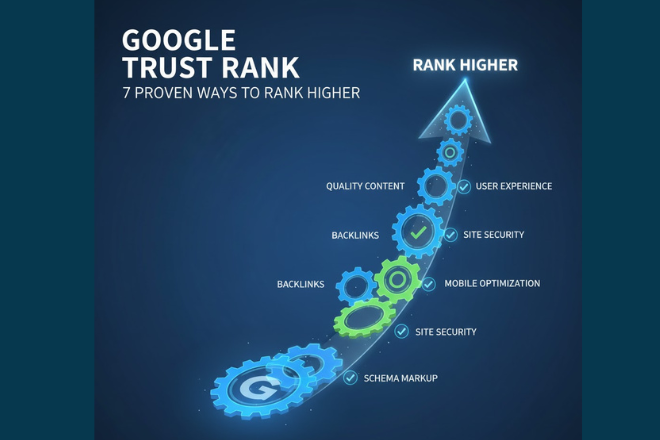
Your 7-Step Plan to Build Google Trust
Step 1: Master Google Search Console (Your Trust Dashboard)
Google Search Console is the most important tool for this job. It's not optional. This is where Google *directly* tells you what it thinks about your site's trustworthiness. Log in and check these three things immediately:
- Core Web Vitals Report: Is your site fast and stable, or is it a slow, buggy mess? A poor user experience is a massive signal of a low-quality, untrustworthy site.
- Security Issues Report: If your site is flagged for hacking or malware, your trust is zero. Full stop.
- Manual Actions Report: This is where Google will tell you if you've been penalized for "unnatural links" or other spammy tactics.
Fixing these technical issues is the first step in building trust. If your site is a technical mess, no amount of content will help. A strong foundation is non-negotiable, which we cover in our Ultimate Guide to Technical SEO.
Step 2: Fix Your Technical Foundation (The "T" in Trust)
Trust is also about safety and professionalism. These are the non-negotiable basics of Google SEO that show users (and Google) your site is well-maintained and secure.
- HTTPS: Your site must have an SSL certificate. If users see a "Not Secure" warning, they will leave. Google knows this and prioritizes secure sites.
- Mobile-Friendliness: If your site is broken on a phone, you're invisible to the majority of users. This signals a total lack of care.
- Clear Navigation: Can users easily find your contact page, your privacy policy, and your terms of service? Hiding this information is a major red flag.
Step 3: Prove Your Expertise & Authority (The "E" & "A")
How does Google know you're an expert and not just an AI bot? You have to be transparent and prove your credentials.
- Have a Detailed "About Us" Page: Be transparent. Who are you? Where are you located? What is your mission? Why should a user trust you over a faceless competitor?
- Link to Your Sources: When you state a fact or a statistic, link out to the authoritative source (like a university study or government data). This shows you've done your research.
Step 4: Demonstrate Real Experience (The First "E")
This is Google's newest and most important factor. You must show you have *actually used* the product or *personally experienced* what you're writing about.
- Create Author Bios: Every post should have a clear author with a name, a photo, and a bio that explains *why* they are qualified to write about this topic.
- Use Original Media: Stock photos are easy to ignore. Use your own photos, screenshots, or videos showing you engaging with the product or service. This is instant proof of real-world experience.
Step 5: Use Google Analytics to Find "Trust Gaps"
Your Google Analytics data tells a story about user trust. If users trust your site, they'll stick around. If they don't, they'll "pogo-stick"—hit the back button and click a different result.
Look at your "Pages and screens" report. Do your most important pages have a high bounce rate (or low engagement rate) and a low average engagement time? This is a red flag to Google. It signals that users clicked your link, didn't trust what they saw, and left. Fixing this is key to improving your search results on Google.
Step 6: Secure High-Quality, Trustworthy Backlinks
You are who you hang out with. In SEO, this means your "trust" is judged by the sites that link to you. A single, relevant backlink from a respected university, news organization, or industry-leading blog is worth more than 1,000 spammy links from low-quality directories.
This is one of the clearest ways to how to rank a website on Google's first page. Don't buy links. Don't participate in link schemes. Earn them by creating great content that authoritative sites *want* to reference. A proper backlink strategy and analysis is crucial here.
Step 7: Maintain and Prune Your Content
A website full of old, outdated, or incorrect information is untrustworthy. A "digital garden" needs regular weeding.
- Content Audits: Once a year, review your content. Is it still accurate? Are the links broken? Is the advice still relevant?
- Update or Delete: If a post is still valuable, update it with new information and re-publish it. If it's hopelessly outdated and no longer relevant (e.g., "Best SEO Tips for 2019"), it might be better to delete it and redirect the URL to a newer, better resource.
Stop Chasing Keywords, Start Building Trust
Trying to increase your Google ranking for free without building trust is like trying to build a house on quicksand. It will never work. The how-to-do-SEO-for-website step-by-step process starts with a foundation of E-E-A-T.
Focus on your user. Be transparent. Fix your technical errors. Prove your expertise. When you do that, Google's algorithms will follow. If you don't know where to start, a comprehensive WordPress SEO Audit is the fastest way to find your "trust gaps."
Frequently Asked Questions
What is website Trust Rank in Google?
While 'TrustRank' was an older concept, today it's part of a broader idea called E-E-A-T (Experience, Expertise, Authoritativeness, and Trustworthiness). It's not a single score but rather Google's overall assessment of your site's quality, reliability, and safety. A high 'Trust Rank' means Google sees your site as a credible source of information.
How can I increase my Google ranking for free?
The best free ways to increase your Google ranking involve building trust. Start by: 1. Setting up and monitoring Google Search Console. 2. Fixing all technical errors it reports. 3. Creating high-quality, helpful content that proves your E-E-A-T. 4. Improving your site speed and mobile-friendliness. 5. Adding clear author bios and an 'About Us' page.
What is E-E-A-T and why is it important for Google SEO?
E-E-A-T stands for Experience, Expertise, Authoritativeness, and Trustworthiness. It's a framework Google uses to measure the quality and reliability of content. It's the single most important concept in modern Google SEO because it's how Google determines if your content deserves to rank, especially for topics that impact a user's health or finances (Your Money or Your Life - YMYL).
How does Google Search Console help improve website trust?
Google Search Console is Google's direct communication tool with you. It builds trust by allowing you to: 1. Find and fix security issues (like hacking) immediately. 2. See and resolve manual penalties from Google. 3. Monitor your Core Web Vitals to ensure a good, trustworthy user experience. 4. Submit sitemaps so Google can understand your site structure. A healthy Search Console account is a sign of a well-maintained, trustworthy website.


